


From cheap, beginner-friendly units to highly accurate resin printers for miniatures and prototyping, we've tested over 50 of the best 3D printers on the market, and just about everything in between.
The Bambu Lab H2D is our overall pick for most users thanks to its speed and precision. Our expert reviewer, Alistair Jennings, especially likes the 4-in-1 model that combines a 3D printer with a laser engraver, cutter, and plotter. If you're selling arts and crafts online, it offers a brilliant all-in-one package.
For anyone new to 3D printing, the Bambu Lab A1 Mini is an exceptionally good cheap 3D printer, while the performance of the Anycubic Kobra X was loved by our reviewer. It is fast, fun, precise, and one of the best 3D printers for beginners.
Whether you're just starting out in the world of 3D printing, or you're looking for a professional-grade update for your business, these are the top machines TechRadar Pro recommends.
This buying guide remains exactly the same as it did last update minus some readability and typo fixes. That doesn't mean we've been doing nothing between then and now. We've been finding the best deals for 3D printers like Elegoo's back to school sale and the latest Bambu Lab price drop.
Best 3D printer overall


✅ You want a 3D printer and laser cutting unit
✅ You want high-quality prints at speed
❌ You need a single-filament 3D printer
❌ You just want a 3D printer without the extra features (or you just want a laser cutter)
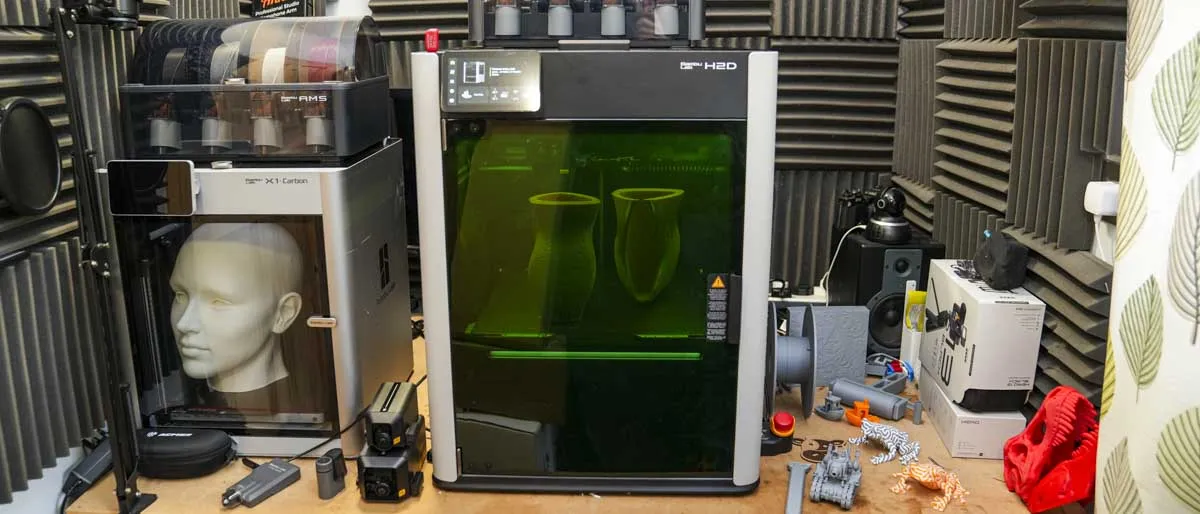
The H2D Full laser Combo is a bit outside of the usual mainstream 3D printing machine, as essentially it features a range of tool heads for different functions, including laser engraving, cutting, and digital cutting. Those tools aside, the 3D printing heart of this machine is still exceptional, and while there are some quirks, the fact that it offers five filament printing out of the box, with the option to print up to 16 with a few additions, makes it stand out.
The H2D comes in two versions, the straight 3D print and the full laser combo which the straight 3D print version can be upgraded to. Both are multi-material print ready and offer a large build volume with a dual nozzle hotend system that helps dramatically speed up dual filament printing and, to a degree, helps to reduce multifilament print times as well. The dual nozzle also dramatically reduces filament waste for multi-colour or multi-material prints, helping you to save money.
One of the big benefits of the H2D is its heated chamber and all-metal hotend, ensuring that it can handle complex models and more demanding filaments such as ABS and ASA. Through the test, the print quality was consistent, with the kind of precision you'd expect from a commercial unit.
Having the option to swap tool heads means that the H2D is packed with creative potential, making it a great choice if you want to experiment across a range of different media and disciplines, all without needing several separate machines.
There are, of course, a few downsides to the H2D, in as far as it does weild a higher price point than many other enthusiast printers, and the various add-ons, such as the laser and AMS units, will require a bit of workspace and organisation. Personally, our reviewer Alistair Jennings found switching between toolheads to be intuitive once "I'd done it a few times, and even storing all the extra modules and build plates when organised was relatively simple."
The H2D earns its place as 'Best Overall' because it combines superb 3D printing with genuine multifunction creativity in a single machine.
Read our full Bambu Lab H2D 4-in-1 3D printer review
Best 3D printer on a budget


✅ You want a cheap and reliable 3D printer
✅ You want a unit that's compact
❌ You want to a responsive touchscreen
❌ You require an enclosure
Due to being discontinued outside of the US and not being in stock in that nation, we've replaced the Creality Hi with the older Bambu Labs A1 Mini as the budget 3D printer of choice on this list.
Now that's it's a little longer in the tooth, the Bambu Labs A1 Mini has come down in price, but it's still a 5 star scoring prointer in our review, offering a compact desing, excellent printing quality and fast performance.
Where this compact printer wins is with the AMS Lite system that lets it handle up to four different filaments. Usually at this price point, such a feature is reserved for higher-end 3D printers. But here it is in a budget printer and in a faily easy-to-use system. So for people who want to experiment with multiple filaments, the Mini is an attractive proposition.
it's easy to set up too, with it being rather accessible for those new to 3D printing, as there's no manual calibration or assembly required, and a doddle for the more experienced.
The printer is perhaps not as quiet as Bambu Labs totes, but it's not super-noisy either, and still delivers on impressive performance and quality for a printer at this price; it only had failed prints when loaded with old brittle filament that was used to test the filament management system.
"The A1 Mini packs quite a punch in terms of performance and quality for its price point and will find wide appeal for both amateur and professional 3D printing enthusiasts," reviewer Alister Jennings concluded. So this printer is well worth a look, even if it's several years old now.
Read our full Bambu Labs A1 Mini review
Best 3D printer for beginners


✅ You want beginner-friendly setup and calibration
✅ You want space to print larger projects when you're more experienced
❌ Professional precision is a must
❌ You can't stand filament waste
The Anycubic Kobra X is a remarkably easy 3D printer to use. Its fast, frustration-free setup takes the intimidation out of first-time assembly and calibration. Guided onboarding and clear calibration steps give you confidence from the first print, setting up anyone entering the world of multi-filament 3D printing.
Print quality is a consistent strong suit. Across a range of real-world test files—bridging, overhangs, and especially first-layer accuracy—the Kobra X printed with minimal fuss, even when we swapped between several PLA and PETG brands. The printer’s settings made it hard to go wrong, making it easy for novices to achieve clean, dimensionally accurate prints without the tuning headaches that often plague entry-level models.
With a 260×260×260mm build area, there’s plenty of space for larger projects or multiple small parts in a single go. This roomy platform, paired with a minimum layer height of 0.05mm, means new users aren’t limited by hardware as their ambitions grow. The frame feels substantial on the workbench, and its specs are more than enough for a hobbyist eager to experiment and improve.
It doesn’t match the QIDI Plus4’s ultra-fine detail or the engineering-grade precision needed for professional miniatures or technical prototypes. If you’re seeking that kind of performance or plan to print in challenging materials, this isn’t the tool for you. For home use and hobby-level projects, the straightforward use and reliable operation make the Kobra X hard to beat.
Although for beginners, there is enough flexibility and upgrade potential to support years of hobbyist growth. The included combo package makes it even more cost-effective for those ready to experiment with more than one filament type. A few trade-offs are worth mentioning: expect to deal with some filament waste during color changes, regular bed cleaning is a must to keep prints sticking reliably, and swapping non-Anycubic filaments can be a bit fiddly. These are minor hassles in the context of what the Kobra X delivers overall, but worth factoring in for the detail-oriented or waste-conscious user.
The Kobra X’s combination of price, approachable workflow, and reliable print profiles make it a clear favorite for those starting their 3D printing journey. Compared to pricier, feature-rich options such as the Bambu Lab H2D Full Laser Combo or the Creality Hi, the Kobra X skips advanced extras like hybrid laser and cutting modules, but it jumps ahead in out-of-the-box usability. In our tests, we spent less time troubleshooting and more time printing, a trade-off new users will appreciate when learning the ropes.
Read our full Anycubic Kobra X review
Save on your next 3D printer with our Anycubic promo codes
Also consider
Why you can trust TechRadar We spend hours testing every product or service we review, so you can be sure you're buying the best. Find out more about how we test.
If the Anycubic Kobra X isn't what you're after, then the Bambu Lap A1 and Bambu Lab A2L are both worth considering, with the latter being great at large-format printing. With 5 star and 4.5 star review scores respectively, these are well-priced 3D printers worth your consideration.
Best budget 3D printer for multi-color printing


✅ You print engineering materials
✅ You want to print in multi-color on a budget
❌ You mostly print in monochrome single filament
❌ You like to tinker and upgrade your machine, rather than this out-of-the-box 3D printer
The Elegoo Centauri Carbon 2 Combo might not be the only multi-color 3D printer out there, but considering the low cost, it's easily a stand-out in the market right now.
This CoreXY machine is an upgrade on the original single filament Centauri Carbon, adding in multifilament and an integrated CANVAS system that pushes those colored filaments through a single nozzle head.
"During our my tests, I was immediately impressed with the high quality of the models I printed (see the gallery above for examples). They far surpassed my expectations considering the relatively low cost of the 3D printer. In fact, they were exceptionally good, accurate, and with clean lines to the models," said reviewer Alistair Jennings.
"Another aspect that I really liked is that the Centauri Carbon 2 works with both standard PLA and engineering materials, making it a very versatile budget 3D printer for small businesses."
One word of warning. Because this is a fully enclosed device, filaments are exposed unlike more expensive machines. And in Jenning's review, he spotted very fine filament hairs on the multi-colored prints as a result of the changing temperature and humidity. Once he moved to a more stable environment and replaced the filament, these hairs disappeared. So, be aware if your workshop or studio is prone to these drops and rises. Jenning's advice is to make sure you keep your filament in excellent condition at all times.
Overall, it's a minor issue that's easily rectified and understandable for a reasonably priced multi-color 3D printer that lets you print usable colored parts without breaking the bank.
Read our full Elegoo Centauri Carbon 2 Combo review
Also consider
Don't need multi-filament printing? See our Centauri Carbon review, it's an impressive single-filament 3D printer that delivered high-quality prints.
Best 3D printer for business


✅ You want one of the best 3D printers ever made
✅ You want pro-grade 3D printing results
❌ You're a complete beginner
❌ You're working to a budget
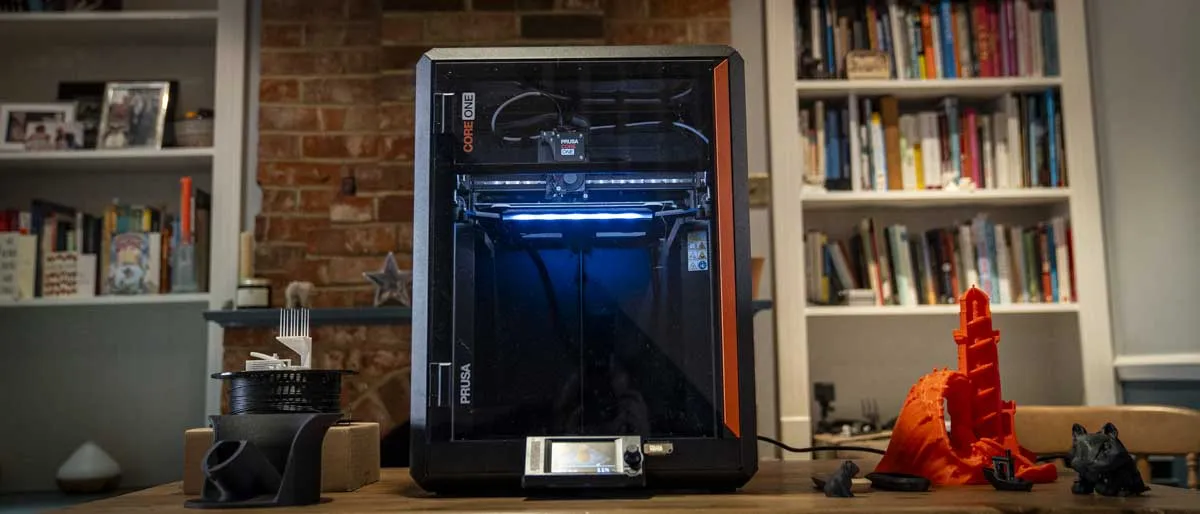
The Original Prusa Core One stands out for businesses for its professional-grade reliability, ease of integration into larger systems, and of course the pure speed and quality of the prints. In our testing experience, it delivers the best print quality you can get from an FDM printer, with excellent mechanical stability, and a workflow that enables you to adapt and add to the printer to suit the needs of your business.
From setup to first layer, the Core One feels different, and its enclosed CoreXY architecture and all-metal build add to the feeling of robustness, making it ideal for prolonged, production-style use with minimal supervision. The integration with PrusaSlicer and Prusa Connect also enables an easy way to centralise management for print jobs, which in our reviewer's case means that they had a Core One and a MK4 and MK4s all running and controlled and monitored from the same system. This makes it a fit for small businesses or prototyping labs.
In terms of print quality, the 3D printer can be summed up as consistent and will produce a similar quality of model from a range of materials; from PLA to engineering components with ASA. As we've seen with the latest advanced printers, the CORE One features automatic bed levelling, filament sensors, and advanced extruder calibration, and while it doesn't have AI cameras and monitoring as standard, from experience it just doesn't seem to need it as the room fault is minimal. Our reviewer has used this model extensively, and it's the one that remains in the office rather than the workshop, always ready to go.
That said, as ever, it's not without limitations. Its build volume (250 × 220 × 270 mm) is smaller than some industrial-grade competitors, potentially requiring staged or split prints for larger items. Maintenance spare parts can be pricey, and the upfront price is higher than entry-level machines, though justified by dependability and ecosystem support and now cheaper than some of the competitors.
In daily use, the Core One has rarely faltered, switching between materials, managing print queues, and handling repeated stress without issue. Its predictable performance and integration-friendly software make it a great solution in the long run. The one other aspect to consider is that the MMU3, which is the multifilament attachment, is yet to be released, but once it arrives, there will be few other printers that will be able to match the Core One, making it our choice for business-use.
Read our full Prusa Core One 3D printer review
Best 3D printer for education


✅ You want speed, quality, and consistency in the workplace or school
✅ You want reliability and ease of use
❌ You're worried about filament waste - there's still no recycling option here
❌ You want the fastest speeds and you won't settle for 200mm/s of the printer's Bowden auxiliary hotend
The Bambu Lab X2D is a top choice for those working in education: this enclosed dual-nozzle 3D printer is a successor to my previous pick, the X1C, and we find it to be just an incredibly impressive machine.
For one thing, during testing, our reviewer made print after print for 250 hours and experienced zero failures. It didn't matter whether he was printing with PLA, PETG, PLA-CF, PETG-CF, TPU, or dual and multi-material models. Everything printed precisely and consistently, with smooth surfaces and minimal layer lines.
As someone who works with students, safety is why our reviewer always recommend a fully enclosed 3D printer. However, there are a few extra design choices here that make this unit suitable for educational use: it's really simple to use.
That simplicity runs right through the design of the X2D, from the 5-inch touchscreen control and easy AMS loading to switching between nozzles using the gear-and-trigger mechanism. Everything about the operation here feels very straightforward.
Alongside that is the machine's three-stage air filtration system. If you've ever used a 3D printer in a classroom before, you'll appreciate how well the printer handles safely operating in an enclosed workshop, studio, or office without smells or fumes or even much sound even during ABS tests. On that score alone, the X2D feels like a true professional engineering machine.
Where that simplicity doesn't hold true is when assigning filaments for dual-nozzle printing. There's the usual learning curve here, we found it helped being familiar with Bambu Lab's set-up. The only other real negative I found was the speed of the Bowden auxiliary hotend, which is limited to 200mm/s, so it's not the fastest 3D printer in the world.
These are minor issues, really, for an otherwise exceptional and well-priced engineering-minded 3D printer.
Read our full Bambu Lab X2D review
Best 3D printer for miniatures


✅ You want a 3D printer for miniatures and making models
✅ You have limited desk space
❌ You don't like the mess of resin printers
❌ You don't need the fine detail offered by resin printers
Through the test of the Creality Harlot-Mage S 14K, as with the 8K version before it, impressed. Setup and use were easy enough despite the usual mess that comes with using a resin print. Although with the flip lid design and quick-release build platform and resin tank, it goes some way to making life a little easier. While the basics of using the machine is straightforward, there is, as ever, the usual clean-up process that requires both wash and cure. While Creality has paired back this machine, so there's no auto-fill feature, the refinements to the resin tank have made the overall use that much easier.
This machine really excels in terms of the quality of the prints, and at 14K, it's one of the highest-resolution printers out there. Sure enough, as the prints emerged, it was possible to see the detail, and after washing, breaking away the support structures and then curing, our tester saw some of the highest quality prints from this level of 3D printer.
Along with the print quality, we liked the platform size, which is about mid-range sized for this type of printer and essentially makes the quantity of resin in the tank manageable when it comes to the clean-up. Our reviewer found the quality of the prints from this relatively inexpensive resin printer exceptional, which makes it my choice as the best 3D printer for miniatures.
Read our full Creality Harlot-Mage S 14K review
Also consider
We found the Anycubic Photo P1 (read the review) is an excellent next-step alternative for miniature painters, jewellery designers, and prototypers.
Best large-format 3D printer for engineering


✅ You want one of the fastest multifilament printers out there
✅ You need to print large scale models quickly
❌ You have limited space - this unit is a beast
❌ You're new to 3D printing or you budget is limited
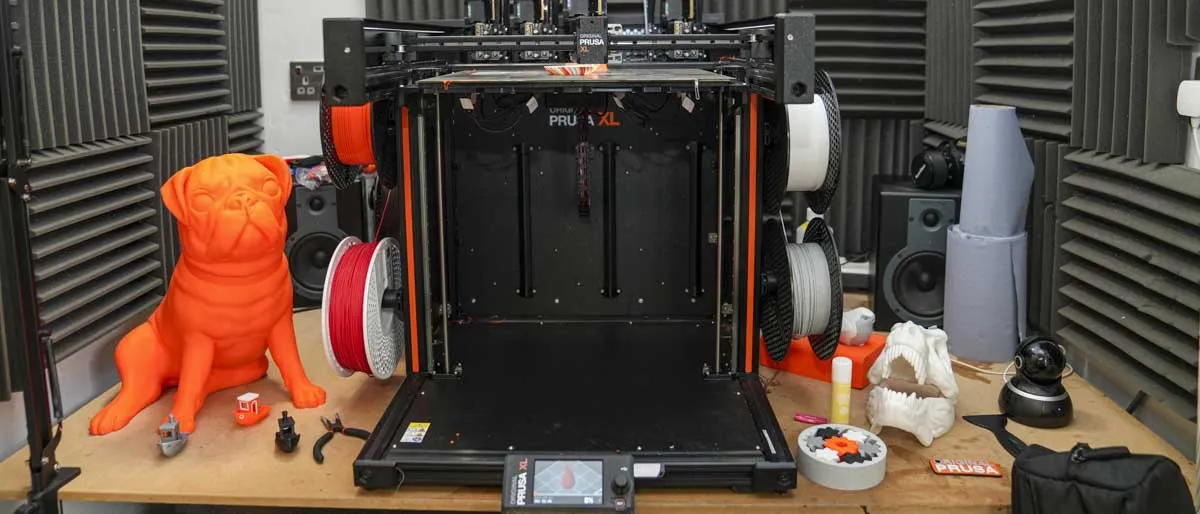
The Original Prusa XL takes 3D printing to another level both in features and scale. This is one of the largest 3D printers that we have looked at and uses the latest COREXY mechanics that have been coupled with Prusa's latest innovations.
This machine has been designed as a modular and can adapt and change as you and your business need, from a single filament machine to a multifilament with four tool heads. However, where it differs from everything else is that it features a multi-tool changer head, which cuts out the need for filaments to be loaded and unloaded during printing. Instead, the head quickly swaps automatically, dramatically cutting down print times when multifilament printing.
In use, the XL impressed from the outset with the speed of the changes, enabling the printing of prototype interaction in multiple different materials quickly. This machine is rarely out of action in the workshop and compliments the smaller MK4S which is utilised for speed and single filament prints. In use, the design feels far more akin to professional workshop machinery than a desktop printer, making it an ideal option for all precision engineering.
Read our full Original Prusa XL review
Also consider
As you'll see in our Bambu Lab A2L review, this machine is an excellent large-format 3D printer, with reviewer Alistair Jennings noting: "The Bambu Lab A2L is a solid upgrade over the highly popular A1, offering a larger print bed and should prove to be a popular choice for cosplayers. As a business machine, it’s also a good option and extremely cheap for a compact print farm, but with a machine that can print at sizes that only premium printers could feasibly produce in the past."
So if you can't get the Original Prusa XL, then the Bambu Lab A2L is well worth your consideration.
Best 3D printers: Also tested
The 3D printing landscape is constantly changing, and I've reviewed many more. Some of our favorite top-rated 3D printers include...

Still one of the best single-filament CoreXY 3D printers I've ever tested, it's fast, accurate, packed with features, and performance was excellent.
Read our full Elegoo Centauri Carbon review

We love the print quality and precision of this entry-level resin 3D printer, and to my mind it's a sound alternative to the Halot-Mage above for miniatures, designing jewellery, and prototyping.
Read our full Anycubic Photon P1 review

A colossally good professional-grade 3D printer with a large build area and a compact footprint. But it's more than most people need, and has a high cost.
Read our full Original Prusa Core One L review

Possibly the peak of this generation of 3D printers, the Bambu Lab P2S is exceptional at what it does, and our reviewer found performance and print quality superb. However, it's not yet available in the US.
Read our full Bambu Lab P2S review
Pros
- Refined design
- Easy to use
- Specialist material compatibility
Cons
- No active heated chamber
- Creates a lot of waste

The Creality K2 Pro is the most reliable 3D printer I've ever used. Yes, it has its quirks, but when testing this unit we discovered it really delivered on its build quality, speed and potential.
Read our full Creality K2 Pro review
Pros
- Excellent speed
- High-quality build
- Easy to use
Cons
- Produces plenty of waste
- Slow multicolour printing

This 3D printer is, in our testing experience, ideal for most people and general use-cases. It's small, fun to use, and easy, too, while producing good quality 3D prints.
Read our full Bambu Lab A1 review
Pros
- Ultra-fast printing
- Multi-filament versatility
- Exceptional build quality
Cons
- Complex software
- No enclosure
- 80ºC heated platform limit

The Creality Ender-3 V3 SE is a great choice if you're looking for an affordable 3D printer that's simple to get started and easy to use.
Read our full Creality Ender-3 V3 SE review
Pros
- Affordable accessibility
- Reliable performance
- User-friendly features
Cons
- No touchscreen
- No filament run-out sensor
- No camera

The Creality K1C is tailor-made for use in education; not least thanks to its sturdy build construction. It's a fast 3D printer that even boasts an AI camera.
Read our full Creality K1C review
Pros
- High-quality build
- Fast print speeds
- Refined AI camera
Cons
- Print quality affected by speed

Fast and accurate, the Anycubic Kobra S1 is the first 3D printer we've tested to score 30 / 30 in the print quality test. If you're looking for accuracy and fine-detail, you'll find it here.
Read our full Anycubic Kobra S1 review
Pros
- Outstanding value
- High precision
- Quality multicolour printing
Cons
- Two power supplies are required

A large-scale spin on the Prusa Core One, this single filament 3D printer, Prusa's first fully enclosed model is ideal for experienced users who don't need multi-filament printing.
Read our full Original Prusa Core One L review
Pros
- Larger print volume while retaining a smaller footprint
- Fast and accurate prints
- Prints with a precision beyond the competition
Cons
- High entry price
- No multifilament printing as standard

The Bambu Lab H2C is a genuinely innovative and exceptional 3D printer, well-suited to studio use, prototyping, engineers, or those wanting high-quality multifilament printing. Not one for beginners or on a budget, though.
Read our full Bambu Lab H2C review
Pros
- Innovative and far lower waste
- 350 °C nozzle, 65 °C chamber.
- AMS expansion up to 24 filaments.
Cons
- Premium pricing.
- More moving parts than H2S/H2D.
- AMS dependency increases footprint and cost.

The Piocreat Halot-X1 is more straightforward than most resin 3D printers we've tested, with a compact design and a great new build plate that makes it easier getting your finely detailed prints out. But it does create a lot of waste during the process.
Read our full Piocreat Halot-X1 review
Pros
- Ultra‑fine resolution
- Auto levelling
- Decent build volume
Cons
- Software interface limited
- Premium price tag
Best 3D printers: FAQs
What is a 3D printer?
Where office-style printers print ink onto paper, you can use 3D printers to build real-world objects made from plastic, metal, and wood digital models for straight-to-market products, spare parts, or prototyping. FDM printers now come in all shapes and sizes and are well-suited to prototyping and crafting larger objects. At the same time, resin-based (SLA, MSLA, and DLP) printers allow for much greater detail, typically at a smaller scale, making them a fantastic buy for anyone looking to design jewelry or create tabletop miniatures.
Whether you are a hobbyist looking to get started in the world of 3D printing or if your business relies on it, 3D printing is a method of creating physical products, unlike any other way we have seen. Printing in 3D is an easy way to create products through additive measures, meaning there is little to no waste. Additionally, the limits are near endless because you can theoretically 3D print just about anything.
What kind of materials does a 3D printer use to print?
3D printers utilize a range of materials to print.
Entry-level FFF 3D printers remain the most popular, as they're usually cheap and easy to use. Good for prototyping and general use, these filament printers use Poly Lactic Acid (PLA), Acrylonitrile Butadiene Styrene (ABS), PETG, TPU, Nylon, and Polycarbonate. Of these, PLA and ABS are the most popular at the moment.
A resin 3D printer or stereolithography (SLA) printer offers higher quality and more precision for intricate modeling - but they cost more. These printers use a photosensitive resin exposed layer by layer to create the final model. This lets you print more complex and detailed designs, but takes more time to set up and it’s a bit messier.
Beyond plastics, some of the best 3D printers we've seen are using concretes and metals. You won't see many of these on a desktop. But it's a possible path towards more efficient and sustainable house-building and other large-scale construction work.
What's the difference between FFF vs FDM 3D printers?
While effectively employing the same printing process and using the same materials, there are some differences between a fused filament fabrication (FFF), fused deposition modeling (FDM) printer.
Firstly, FDM is a name trademarked by Stratasys - although other companies can use the name. But it's not the only difference.
You'll find variations in print quality. Working with more materials than FFF 3D printers, true industrial-grade FDM printers offer larger build platforms, fusing use layers closer together for a stronger bond.
On the other hand, this makes them more expensive to buy and run compared to FFF printers, which are popular especially among beginners.
Do 3D printers use a lot of electricity?
It depends on the size of your 3D printer, what materials are being used and how long you're using the machine. In our experience, FDM printers use the least amount of power compared to other 3D printers.
What is the most profitable thing to make with a 3D printer?
There are a wide range of profitable items that can be made with a 3D printer. These range from personalized items such as phone cases an others, to replacements parts, prototypes, and teaching tools. Any of those areas, if marketed correctly, has the potential to be profitable.
Is 3D printing worth investing in?
It depends on how you intend to use your 3D printer and how often (like most things, really). If you're going to get joy out of modeling and printing - whether it's for personal or professional use, then 3D printing is absolutely worth the investment - especially since costs for entry-level 3D printers are coming down.
How to choose the best 3D printer for you
To select the best 3D printer, you'll need to consider what you're going to do with it. If you're going to be printing small objects, then a small-size printer is apt, but a large printer is naturally the best option for bigger creations.
For printing high-quality objects with fine details, you'll need a high resolution printer, but these prints will cost more and take more time to get ready. For additional savings, watch out for Prime Day 3D printer deals and Black Friday 3D printer deals for once the sales are live.
Look out for the printer's interface and the overall ease of use, along with other aspects like the kind of software it uses, the type of filament, build platform, and pricing.
Find our more in our guide How to get started in 3D printing.
How we test the best 3D printers
TechRadar Pro has tested, reviewed, and rated a whole range of printing tools, tech, and services, from the best home printers to the best 3D printers for miniatures. And the team applies the same rigorous testing process to every model so you can make an informed choice.
My testing of the best 3D printers use a collection of bespoke benchmarks that help show the strengths and weaknesses of each model that, after time, can be compared against other products. These will differ depending on printer type, but a filament printer will be tested for stringing, bridging, and speed, as well as additional commentary on detail, achieved, and noise levels.
This will be done fairly, with dues given to different materials and printer types, with resin printers being subject to smaller, more detailed models to replace the stringing test. Design, price, and performance will also be explored as sections within the reviews.
In my 3D print workshop, every 3D printer undergoes a comprehensive testing process, regardless of whether it's budget-friendly or eye-wateringly expensive. Our testing procedures are designed to put these printers through rigorous evaluations to ensure we identify the best options available for you.
The testing journey begins with the initial build, set-up and calibration, assessing the ease of the process. While some printers can be up and running within minutes, others may require far more time and effort.
Next, I examine the first layer print quality, dimensional accuracy, bridging, overhangs, stringing, layer adhesion, and surface finish. Speed is another important factor, as I analyse the time it takes the printer to produce a model without compromising print quality. Noise levels are also a consideration; some printers are far from quiet, especially when the speed picks up - OK for short prints but incredibly annoying if a print duration is hours or days long.
My comprehensive testing includes thoroughly examining features, such as connectivity options, user interface intuitiveness, software compatibility, and any additional functionalities offered. I also explore material compatibility, testing the printer with various filaments or resins to assess versatility.
Finally, I consider the price against the printer's overall performance and features, ensuring it aligns with our expectations. I carefully evaluate the intended market for the printer, considering specific user needs and suitability for various applications. Additionally, I analyse the design and aesthetics, recognising the importance of a well-designed and visually appealing product.
By subjecting each printer to these tests and assessments, I can confidently provide you with an informed recommendation as to which is the best 3D printer for your specific needs.
All of my tests are conducted from the perspective of the printers target market where possible, so expect to see a lot of tabletop miniatures and figurines alongside the usual 'benches' (test models that are also dubbed as 'torture tests' to see where a printer needs to be better optimized for future prints).
For more crafting tools, we've tested and reviewed the best laser engravers.
