


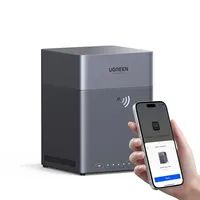
Ugreen's four-bay DH4300 Plus NAS device impressed us during our tests, from its elegant design to the beginner-friendly setup, ideal for creating your own private cloud in the home and small business. And right now, the Ugreen NAS DH4300 Plus has dropped to $374 (was $440) at Amazon.
It is aimed at home users, remote workers and NAS beginners, with four drive bays, 8GB of LPDDR4X memory, 2.5GbE networking, 4K HDMI output and support for up to 128TB of storage.
The DH4300 Plus can automatically back up photos and videos, organize images using AI-powered albums and act as a private cloud that you can access remotely from multiple devices.
Today's top Ugreen NAS DH4300 Plus deal
Why we recommend it
In his 4-star review, our expert Mark called the DH4300 Plus "great for homes and small businesses" and said it offered "an elegant design that delivers the basic functionality that most NAS users need at a price they can afford."
The four drive bays give you plenty of flexibility over how much storage you add, while RAID support lets you choose between maximizing capacity or adding redundancy.
Ugreen has done its best to make the software approachable for people buying their first NAS. Its apps support Windows, macOS, Android, iOS and web browsers, with remote access and automatic mobile photo backups.
He summed it up saying: "This NAS is designed to fit a specific niche: single or dual-purpose installations that require power efficiency and easy interfacing with other NAS hardware for backups. And, this NAS is perfectly poised to do those jobs without the need for the more exotic functionality that the DXP series already supports."
Price context & historical value
Amazon has cut the price of the Ugreen NAS DH4300 Plus from $439.99 to $373.98, giving you a saving of $66.01, or 15%. While this is a good reduction, it's not the cheapest the NAS has been. We saw it selling for between $305-$310 a little earlier in the year.
It's also worth noting the current price is for the diskless enclosure, so you'll still need to budget for compatible hard drives or SSDs. The total cost will depend on how much capacity you want.
Should you buy it?
✅ Buy the Ugreen NAS DH4300 Plus if...
You want to move away from recurring cloud-storage subscriptions and keep your photos, videos and documents under your own control. Four drive bays give you plenty of room to expand, and the relatively simple setup and mobile apps make this a more approachable option for NAS newcomers.
❌ Skip the Ugreen NAS DH4300 Plus if...
You need a more advanced NAS for running virtual machines or heavier server workloads. The DH4300 Plus supports Docker, but Ugreen specifically states that it doesn't support virtual machines, so a more powerful NAS will likely be a better fit for advanced users.
The Catch: What to know before you buy
No storage drives are included, despite the advertised maximum capacity, so the listed price is only the starting point. The maximum storage amount is based on compatible drives configured in RAID 0, which prioritizes capacity rather than redundancy.
There's also no Wi-Fi, so you'll need to connect the NAS to your router or network switch using Ethernet. Plex can be run through Docker, but the DH4300 Plus doesn't provide native virtual-machine support.
