


Seagate has made hard drives for decades, and the Expansion line is about as straightforward as external storage gets: plug it in and drag your files across, no software required. The included Rescue data recovery service is a useful safety net for a drive that’s likely to hold years of files.
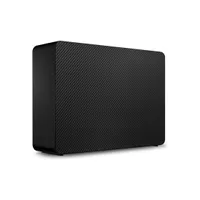
If your photos, videos, and backups are scattered across too many small drives, a single 16TB Seagate Expansion lets you consolidate them. Currently, you can pick up the Seagate Expansion Desktop 16TB HDD for $460 (was $550) at Newegg.
• Best for: Professionals who needs a lot of affordable backup or media storage for a desktop PC or Mac.
• Why we like it: We've had good experiences testing out Seagate's line of storage. Here, you get a huge 16TB capacity in one box, simple plug-and-play setup on Windows and Mac, and Rescue data recovery services included.
October 20. I've run a second price check today, and the drive has dropped from $470 to $460. A nice surprise saving there.
Price Context & Historical Value
The $90 savings is a modest discount on a high-capacity drive. External drive prices have risen over the past year, so this is a fair price today but not a bargain by older standards.
Should you buy it?
✅ Buy the Seagate Expansion 16TB if...
You need a single, roomy drive for backups or a media library, you want simple plug-and-play storage for a desktop PC or Mac, or you like having data recovery services included.
❌ Skip the Seagate Expansion 16TB if...
You need something portable, since this desktop drive needs wall power, you want the speed of an SSD or a faster USB-C connection, or a one-year warranty feels too short for a drive holding this much data.
