


- ExpressVPN adds support for Vega OS Fire TV devices
- The app features remote-friendly sign-in and quick location switching
- It joins NordVPN, IPVanish, and Surfshark on VegaOS devices
ExpressVPN has released a native app for Amazon Fire TV devices running Vega OS, giving owners of the newest streaming sticks a mainstream option many have been waiting months for.
For anyone shopping for the best VPN to pair with a next-gen Fire TV Stick, this launch is significant. ExpressVPN is one of the biggest names in the category (you can read our full ExpressVPN review for the details), and its arrival noticeably widens a field that had so far been stuck at three providers.
Fire TV VPN users with supported Vega OS devices can now download ExpressVPN from the Amazon Appstore and connect in just a few clicks.
The rollout covers all supported hardware, including the Fire TV Stick 4K Select, the first device to ship with Amazon's Linux-based platform.
Built for easy TV use
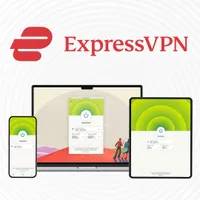
ExpressVPN says the Vega OS app was designed around the way people actually use a TV, keeping the main controls within easy reach rather than buried in menus. Users can connect or disconnect, choose a VPN location, and manage the connection with a remote, and frequently used locations can be pinned to Favorites for quick access later.
Sign-in is handled with the remote in mind, too. The app supports TV-friendly sign-in, including QR code sign-in where available, so you don't have to type out a long password. Under the hood, it runs ExpressVPN's Lightway protocol, which is built to keep connections fast and stable for HD and 4K streaming.
Setup is straightforward. Open the Amazon Appstore on a supported Fire TV device, search for ExpressVPN, and download the app. Sign in with your account, then choose a location and connect. You will be asked to allow the one-time system VPN permission that Amazon introduced when it enabled VPN support on the platform.
If the app does not appear, check that your device is supported and updated to the latest software. TechRadar's Fire TV Stick VPN guide and setup walkthrough cover the wider basics.

NEW: Leave No Trace — A weekly newsletter on digital privacy and online surveillance.
Leave No Trace investigates the companies and governments putting our digital freedom at risk — and the people fighting back.
📩 Subscribe now to get every edition delivered to your inbox every Friday, launching this September.
Every VPN available on Fire TV Vega
The field is still small but finally competitive.
NordVPN broke ground first with a native Linux-based app, and IPVanish joined it shortly after, making them the only two providers ready when Amazon finally turned on VPN support at the end of November.
Surfshark followed in May 2026 with a WireGuard-based app. ExpressVPN's arrival now brings the total to four.
Expect the list to keep growing as Amazon's developer tools mature, and as ExpressVPN says, it plans to expand support as new devices and updates arrive.
Follow TechRadar on Google News and add us as a preferred source to get our expert news, reviews, and opinion in your feeds. Make sure to click the Follow button!
