


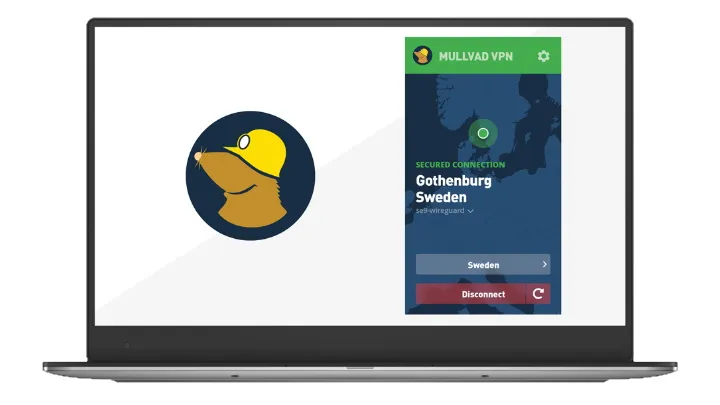
- Mullvad releases major desktop update version 2026.3
- New GoTun engine, security hardening, performance optimizations added
- Users gain faster obfuscation, stronger protection, and improved stability
Mullvad VPN has released version 2026.3 of its desktop application for Windows, macOS, and Linux, reinforcing its status as one of the best VPN services for privacy-first users.
Rather than a superficial UI overhaul, this release digs deep into the engine, delivering significant performance gains, deeper security hardening, and refined obfuscation. It swaps out core components to deliver speeds up to three times faster in specific scenarios while plugging critical security holes that would otherwise allow unauthorized code execution.
The update is exclusively for desktop users, bringing a suite of technical improvements that enhance stability, reduce memory fragmentation, and ensure that privacy protections remain robust even during complex network reconnections or system restarts.
What’s new in version 2026.3
The headline change in the universal adoption of GotaTun as the userspace WireGuard implementation across all desktop platforms, replacing wireguard-go. This unification ensures more efficient packet handling. Alongside this, a new port setting for LWO (Layer 2 Obfuscation) gives users granular control over their connection parameters.
Optimization of LWO yields a 1.5 to 3 times speedup in internal benchmarks, making obfuscated connections viable for everyday streaming and browsing. On the Linux VPN app, switching to the jemalloc memory allocator reduces fragmentation and improves responsiveness.
The release also addresses several critical bug fixes and security concerns. A new security measure blocks the renderer process from executing arbitrary binaries on Windows VPN and macOS VPN apps, preventing privilege escalation.
For users managing multiple devices, the update fixes long-standing issues with split tunneling on Linux, where the command would hang. It also resolves conflicts on Windows where other VPN clients could clash with Mullvad’s split-tunnel driver.
Additionally, Mullvad's desktop builds now remember recent server selections and add a context menu for quicker access, streamlining the location selection process without cluttering the main interface.
Benefits for Mullvad users
The immediate benefit is faster, smoother performance, especially for users relying on obfuscation. The combination of GotaTun and optimized LWO means secure browsing feels less sluggish in restrictive environments.
Security-conscious users gain peace of mind from the renderer restrictions and improved firewall handling during restarts, preventing accidental data leaks. Stable split tunneling allows routing specific apps directly while keeping everything else encrypted, without encountering hangs.
Finally, usability tweaks, like the "recent servers" list and fixed notification duplicates, contribute to a more polished experience. Whether you’re a power user tweaking obfuscation ports or someone who just wants a reliable privacy tool that you can set and forget, version 2026.3 delivers a stronger foundation.
To upgrade, users can visit the official Mullvad website or use the in-app update feature available on Windows and macOS.
Follow TechRadar on Google News and add us as a preferred source to get our expert news, reviews, and opinion in your feeds. Make sure to click the Follow button!
